JASEUR — zha-ZUR. It's French for a bird that never shuts up. You'll get used to it.
A character for your desk that starts dictation. Press it and speak. Tap it and it listens hands-free. It's a Bluetooth keyboard with one very good key — no app, no subscription, no account.
C$45 · printed & hand-assembled in Québec · ships to 🇨🇦 + 🇺🇸
Hold it to talk. Tap it for hands-free. This is the real interaction.
The electronics are one platform — the shell is a character you pick. You're not buying a gray gadget; you're adopting a desk character with a job.
The brain is the button. Smack it to talk to your computer — as nature intended.
Yes, the flush is a poop. Yes, pressing it starts dictation. We regret nothing.
The community votes on what we sculpt next. Follow along and cast yours.
Jaseur shows up as a plain Bluetooth keyboard. Your dictation app already knows what to do with it.
Open Bluetooth settings, connect to Jaseur. That's the whole install.
In your dictation app: hold = push-to-talk, record ⌃⌥F13 for it. Tap = hands-free, record ⌃⌥F14. They collide with nothing.
Hold the button and speak — release to stop. Tap it to latch hands-free; the LED breathes while it listens.
Anything that accepts a custom keyboard shortcut works. We only list what we've verified — no marketing checkmarks.
● tested by us · ○ documented-compatible — list dated 2026-07-02
Every Jaseur is printed, soldered, flashed and packed by hand in a workshop near Québec City. Jaseur is the Bohemian waxwing — a bird famous for never shutting up. It felt right. We publish our costs, our failures and our print timelapses as we go, because that's more interesting than pretending to be a corporation.
— PF, the human behind the bird
No. Jaseur is a Bluetooth keyboard with one very good key. Your dictation app does the listening — Jaseur just triggers it. Nothing to install, nothing to renew, nothing that phones home.
Any app that accepts a custom keyboard shortcut. We've verified Wispr Flow, Superwhisper and FreeFlow ourselves; MacWhisper Pro, Talon and Dragon (Windows) document support for shortcuts like ours. The list above is dated and updated as we test.
Yes — plug in the USB‑C cable and remap it live from your browser at /setup. No reflashing, no toolchain.
Because you own several and we'd rather keep the price at C$45 than ship you e-waste. Any USB‑C data cable charges it and unlocks browser remapping.
Canada and the United States. The battery inside means postal rules stop us at the border for now — sorry, rest of the world.
Quebec's legal warranty applies, and beyond that: email us. It's one maker reading, not a ticket queue. Broken parts get reprinted, dead boards get replaced.
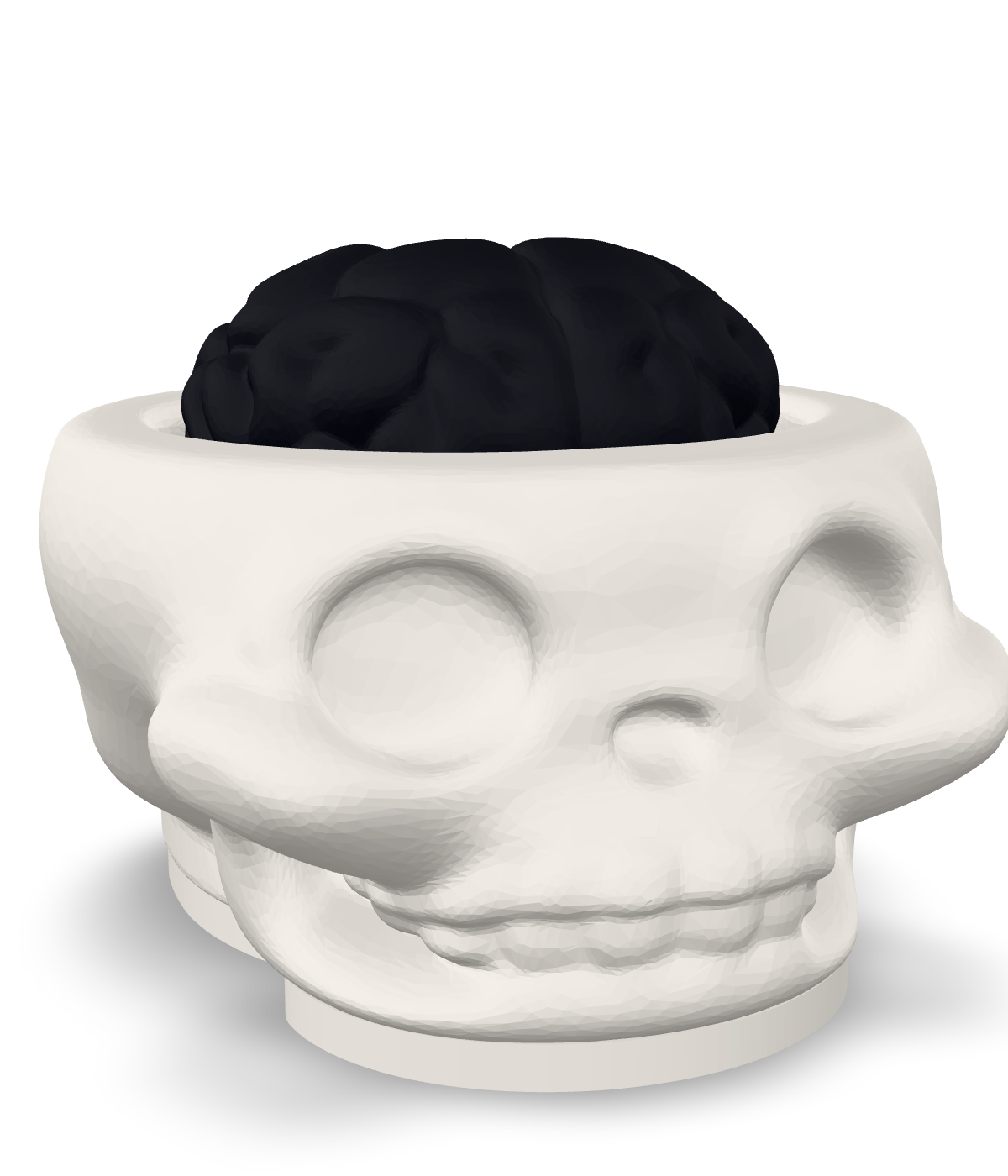
First batch is ten hand-built units. Join the list and you'll get one email when they go live — first come, first skulled.
One email at launch. Batch announcements after. Nothing else, ever.